
Payment component update effective March 3rd
Rainforest will be updating the Payment Component on March 3rd, 2026 to better enhance your end users experience when selecting a payment method.
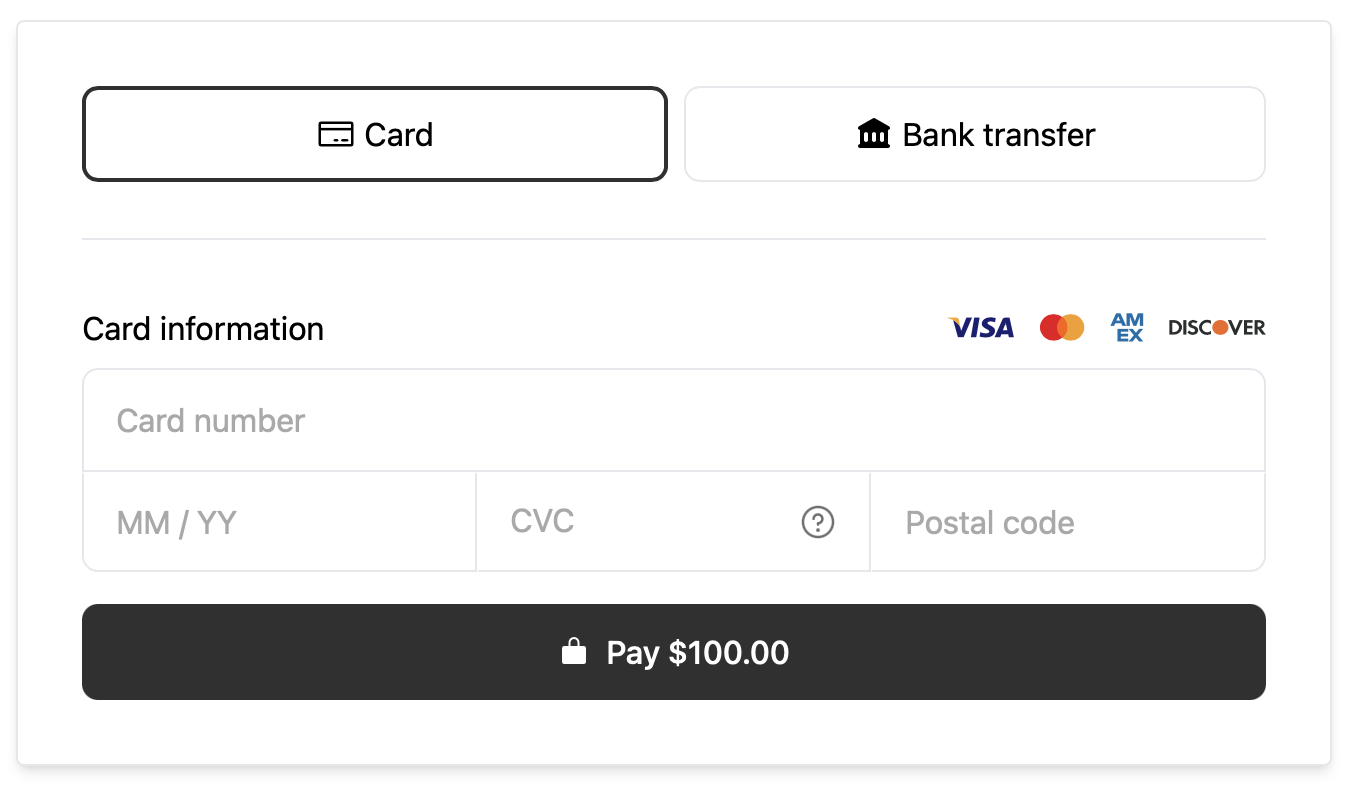
The Payment Component will display all allowed payment methods as buttons, including Card and ACH. This update replaces the tabs used to select Card or Bank transfer as the payment method form displayed.
Number of payment method buttons
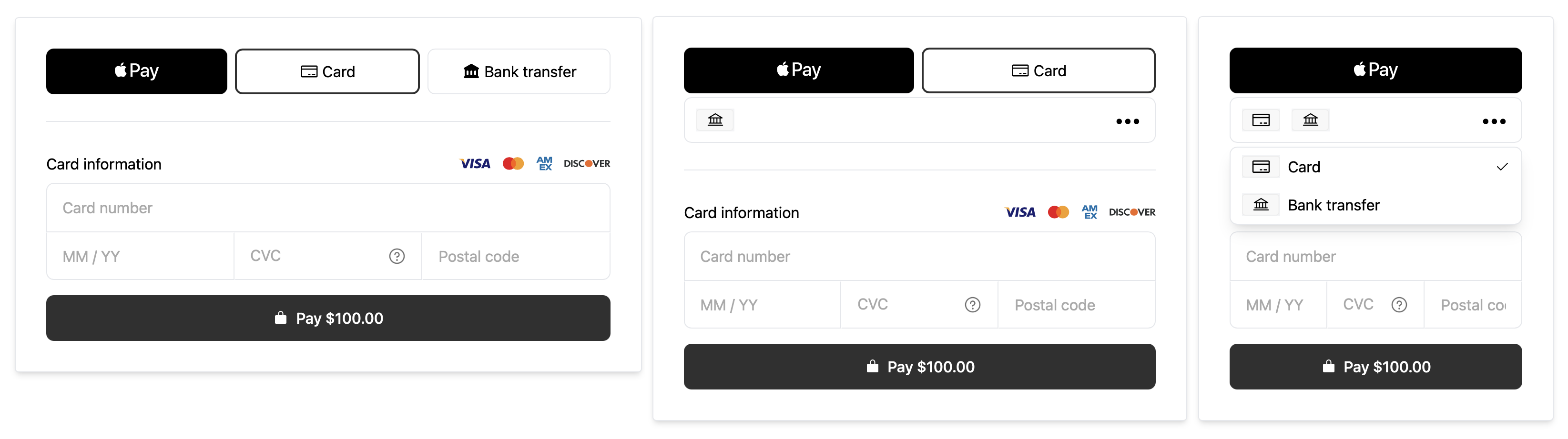
The number of payment method buttons displayed will dynamically adjust in response to the size of the Payment Component.
A max of three payment method buttons can be displayed. As the width of the Payment Component decreases (e.g on mobile devices or smaller screens), the buttons will decrease to two buttons and one button.
A "more options" dropdown button will dynamically appear that contains all additional payment methods that are not visible as their own buttons.
Payment method order
The order of the payment method options is configurable with the allowed-methods prop. This comma separated list is the ordered list of payment methods to display from left to right.
<rainforest-payment
	session-key='REPLACE_ME'
	payin-config-id='REPLACE_ME'
	preview-features='ALLOWED_METHOD_BUTTONS'
+	allowed-methods='APPLE_PAY,CARD,ACH'
></rainforest-payment>
For example, if the allowed-methods prop is set to APPLE_PAY,CARD,ACH, then the Payment Component will display the Apple Pay button first, the Card button second, and the ACH (Bank transfer) button third.
Default Card or Bank transfer
The Payment Component will display either the Card or Bank transfer payment form, based on which method appears first in the allowed-methods prop.
For example, to have the form default to the ACH (Bank transfer) payment form set the allowed-methods prop to ACH,CARD, where ACH comes before CARD.
Preview feature
Rainforest will automatically update the Payment Component on March 3rd, 2026 to utilize the new Payment Method buttons.
You can also update your embedded Payment Component to use the new Payment Method buttons prior to March 3rd by enabling this feature with the preview-features prop and passing ALLOWED_METHOD_BUTTONS:
<rainforest-payment
	session-key='REPLACE_ME'
	payin-config-id='REPLACE_ME'
+	preview-features='ALLOWED_METHOD_BUTTONS'
	allowed-methods='APPLE_PAY,CARD,ACH'
></rainforest-payment>
Please contact support if you have any questions.