
Added
Payment source
January 7th, 2026
Rainforest now provides the source of each payment in the Rainforest Payment Report Component and API.
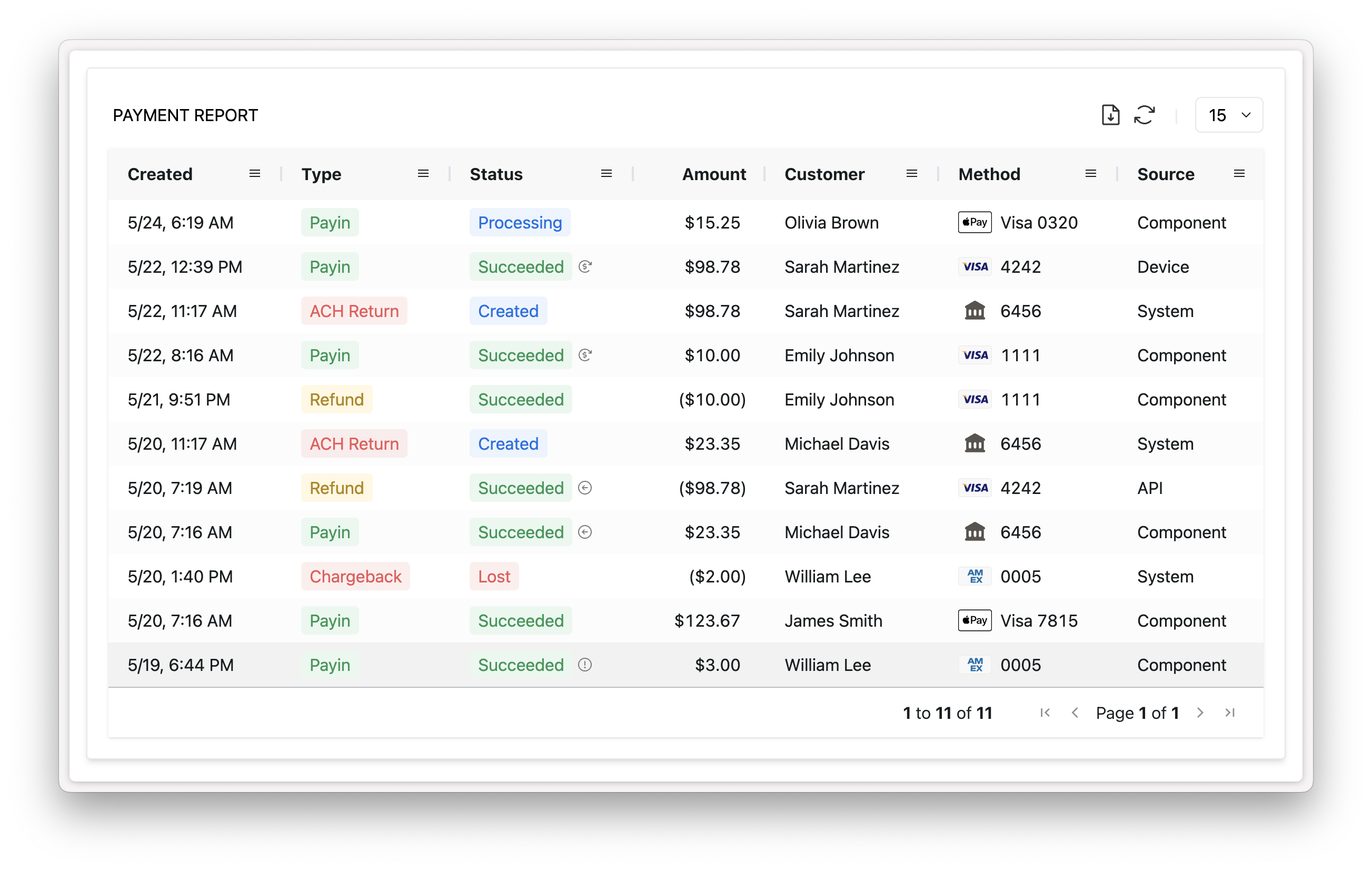
New column "Source" in the Payment Report Component
What is a payment source?
The payment source refers to the integration that created the payment.
| Source | Description |
|---|---|
| API | The payment was created from an API request, such as the Create payin or Refund payin endpoints. |
| API from Stored Payment Method | The payment was created from the Create payin from stored payment method API endpoint. |
| Component | The payment was created from a Component, such as the Payment Component for a payin or the Payment Report Component for a refund. |
| Device | The payment was created from a device. |
| IVR | The payment was created from the IVR system. |
| Tap to Phone | The payment was created from a Tap to Phone integration. |
| System | The payment was created from the Rainforest system, which is applicable to ACH returns and chargebacks. |
Payment report in Portal
The Source column has been automatically added to the Payment report in the Rainforest Portal.
Add to an embedded payment report
To include this new column in your embedded Payment Report Component, update the columns to include the source column:
<rainforest-payment-report
	session-key='REPLACE_ME'
	columns='[
          {"name": "Created", "type": "builtin", "value": "created"},
          {"name": "Type", "type": "builtin", "value": "type"},
          {"name": "Status",  "type": "builtin",  "value": "status"},
          {"name": "Amount",  "type": "builtin", "value": "amount"},
          {"name": "Customer", "type": "builtin",  "value": "name"},
          {"name": "Method", "type": "builtin",  "value": "method"},
+         {"name": "Source",  "type": "builtin", "value": "source"}
        ]'
	data-filters='{"merchant_id":"REPLACE_ME"}'
></rainforest-payment-report>
API
The following fields will be available in the list payments, list payins, get payin, get refund, get chargeback, and get ACH return endpoints.
sourcesource_desc
Please contact support if you have any questions.
.