
Time range filtering in reports
Rainforest now supports choosing a time range when filtering and exporting a date range of data in all embedded reports and in the Rainforest Platform Portal.
How it works
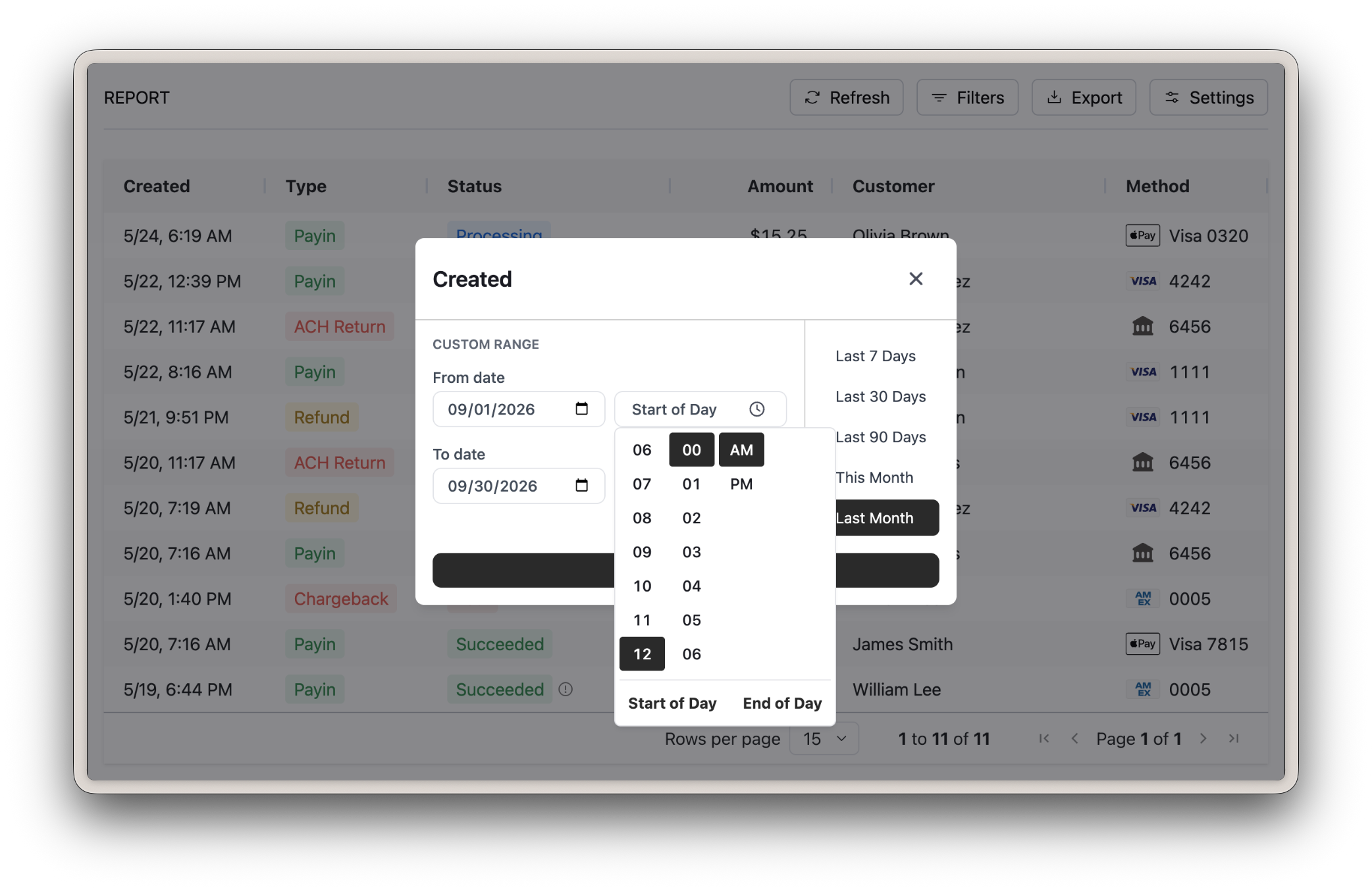
The date range filter in the report controls and the export dialog now show a time selection next to the from and to dates:
- Default time ranges remain a full day based on the report's configured timezone with a midnight to midnight time range.
- The time picker includes Start of Day and End of Day shortcuts at the bottom of the picker.
- The To time is exclusive meaning a range ending at 5:00 PM includes data up to 4:59:59.9999 PM.
How to enable in embedded reports
Date filters
This enhancement is included to all date filters as part of the enhanced report controls, available today with the REPORT_CONTROLS preview feature and will automatically go into effect on November 2nd, 2026.
If your reports already utilize the enhanced report controls, then the time selection is automatically available within your embedded reports.
Exports
The export dialog's time selection is automatically available on every report that supports exporting.
Rainforest Portal
All reports within the Rainforest Portal now support filtering dates with a time range.
Please contact support if you have any questions.