
Asynchronous report exports effective November 2nd
Rainforest now supports asynchronous processing when exporting reports in the Rainforest reporting components.
For embedded reports, this update will automatically go into effect on November 2nd, 2026. To opt-in to this enhancement prior to November 2nd, see how to preview the feature.
For reports within the Rainforest Portal, all reports have been automatically updated to support these enhancements.
What's new
The embeddable reporting components have been enhanced to support:
- Exporting large time ranges including a year’s worth of data
- Viewing the status of the user's exports and when they’re ready to be downloaded
- Viewing the user's export history
How it works
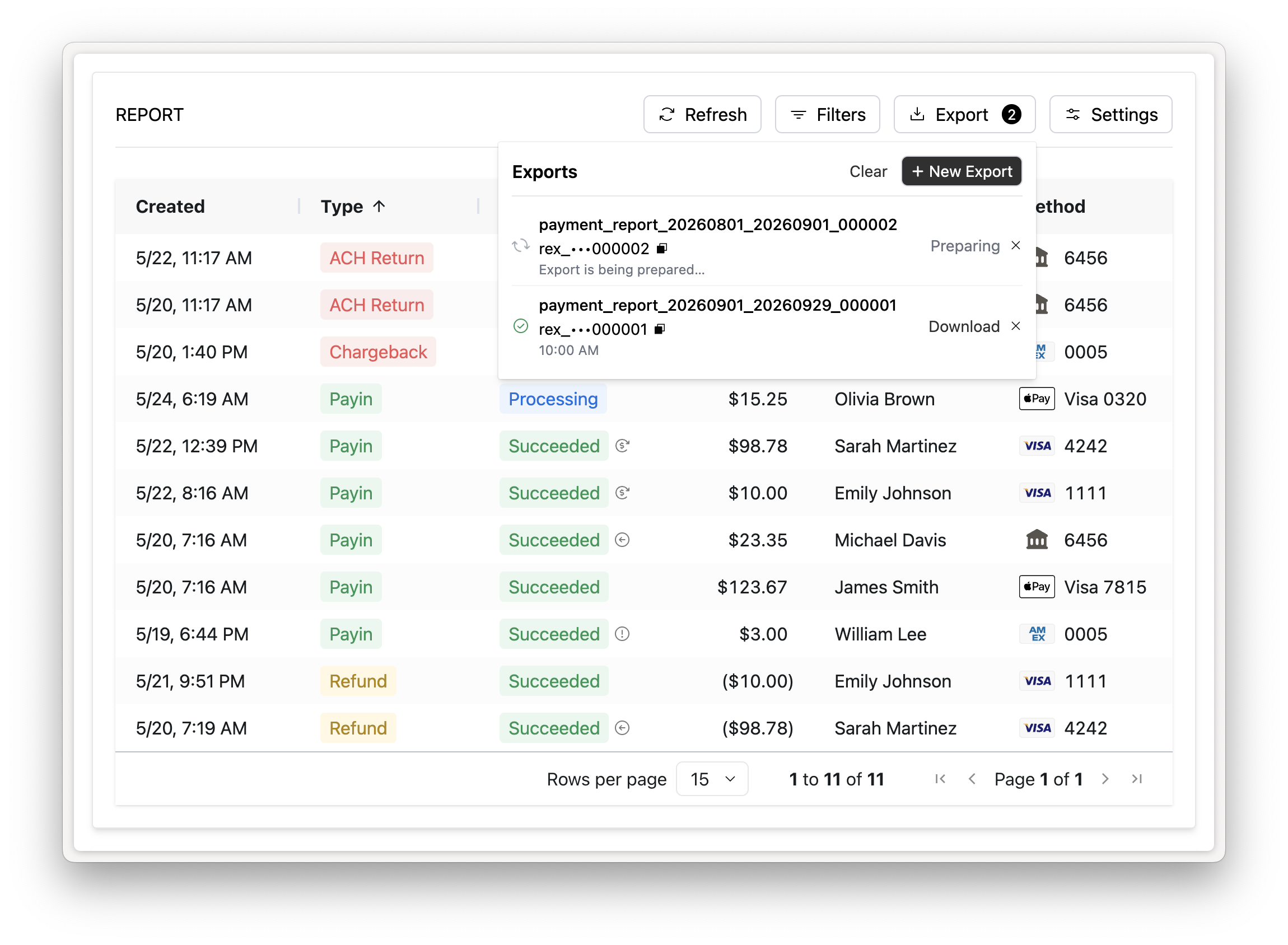
Click the ‘Export’ button in the Report controls to open the export management panel. From the export management panel the user can review the status and details of any existing export or create a new export.
Once a report export is requested, the user can navigate away and continue working while the export is being processed. The user will be notified once the export is ready to be downloaded.
The status of the export will be one of the following:
- Preparing: the export is preparing and not ready to be downloaded
- Ready for download: the export is complete and ready to be downloaded
- Failed: the export could not be completed
Previously, only up to 31 days of data could be exported. With the new enhanced asynchronous exports, larger date ranges are now supported.
Export history
Each embedded Report Component persists the user’s export history. Past exports are available in the user’s browser’s local storage. Export history will be cleared if the user clears their cache, switches computers or browsers.
Export details
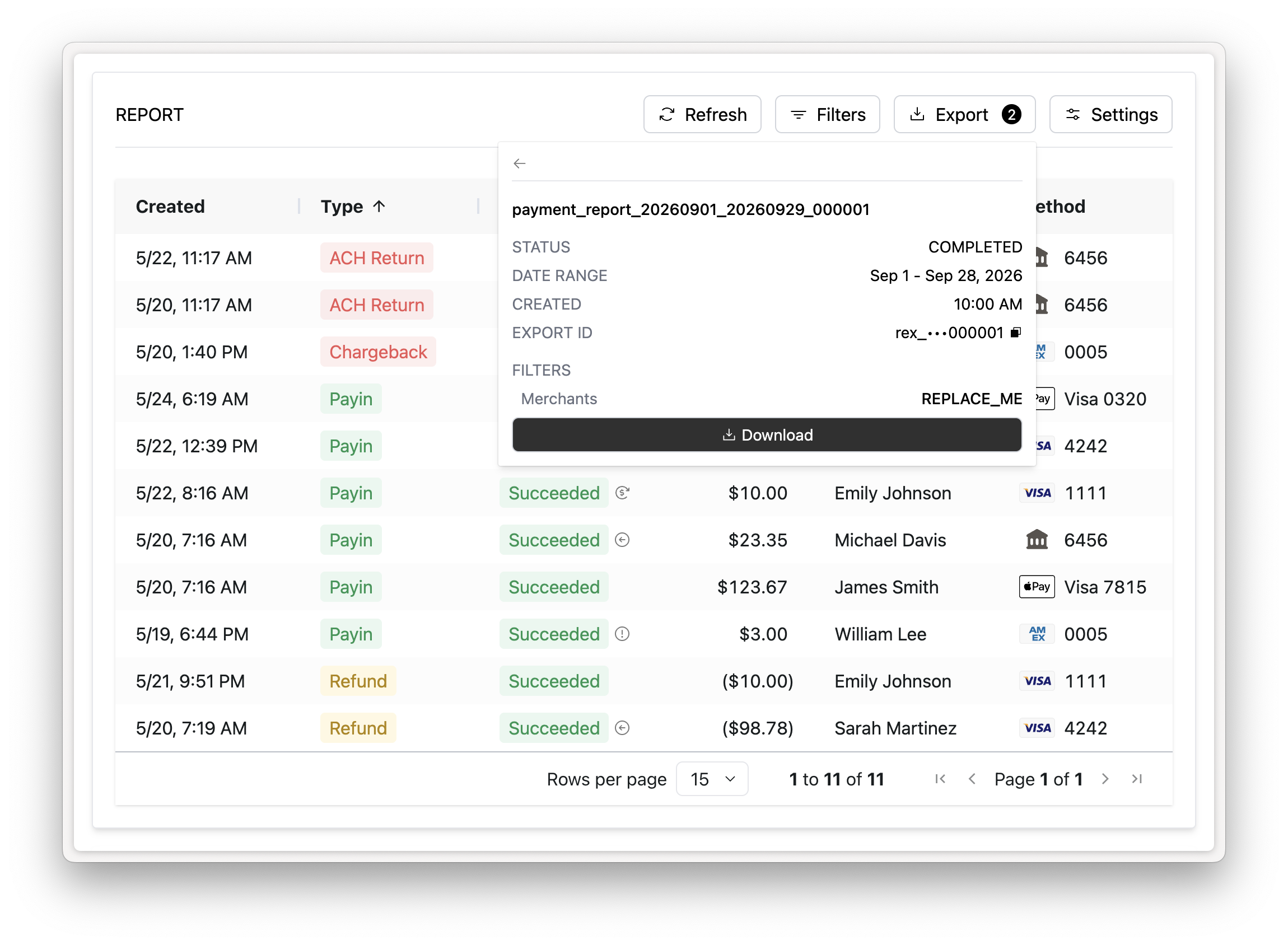
Clicking an export in the export management panel will show the details associated with the export including the status, date range of the export, and applied filters.
Preview feature
This new export functionality is only available when utilizing the new enhanced report controls.
Rainforest will automatically update all embedded reports on November 2nd, 2026 to utilize the new report controls and export functionality.
You can also update your embedded reports to use the new export functionality prior to November 2nd by enabling this feature with the preview-features prop and passing REPORT_CONTROLS,REPORT_EXPORTS :
<rainforest-payment-report
+ preview-features="REPORT_CONTROLS,REPORT_EXPORTS"
  ...
></rainforest-payment-report>
This feature is available on all of the Rainforest Report Components, including the Payment Report, Deposit Report, and Chargeback Report.
Please contact support if you have any questions.