
Deactivate billing profiles
Rainforest now supports deactivating billing profiles in the Rainforest Portal and via API. This allows platforms to retire billing profiles that are no longer needed without deleting historical configuration used for merchant billing.
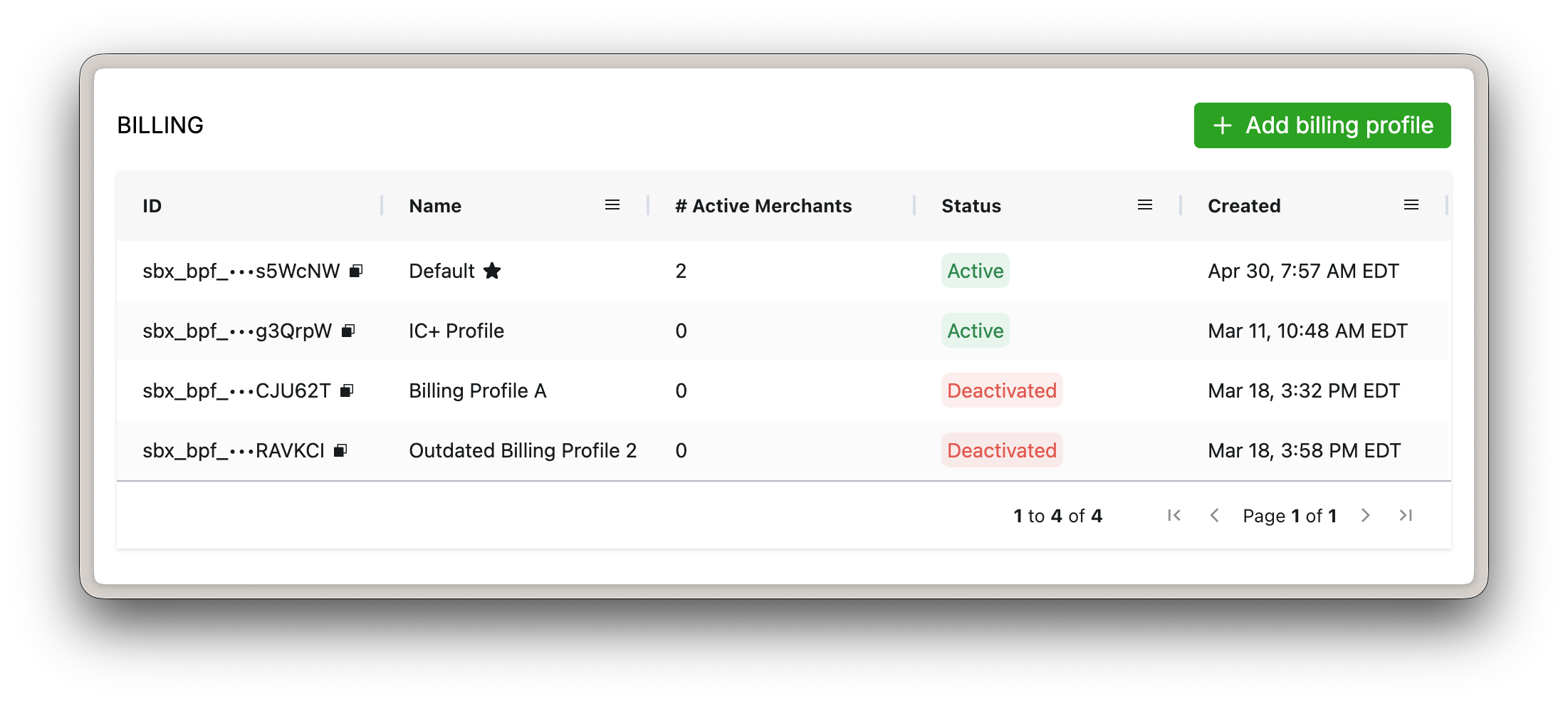
New column "Status" in the Rainforest Portal
Deactivating a billing profile
Billing profiles determine the fees and rates billed to a merchant for payment activity. When a billing profile is no longer needed, it can now be deactivated using the deactivate billing profile endpoint or within the Rainforest Portal.
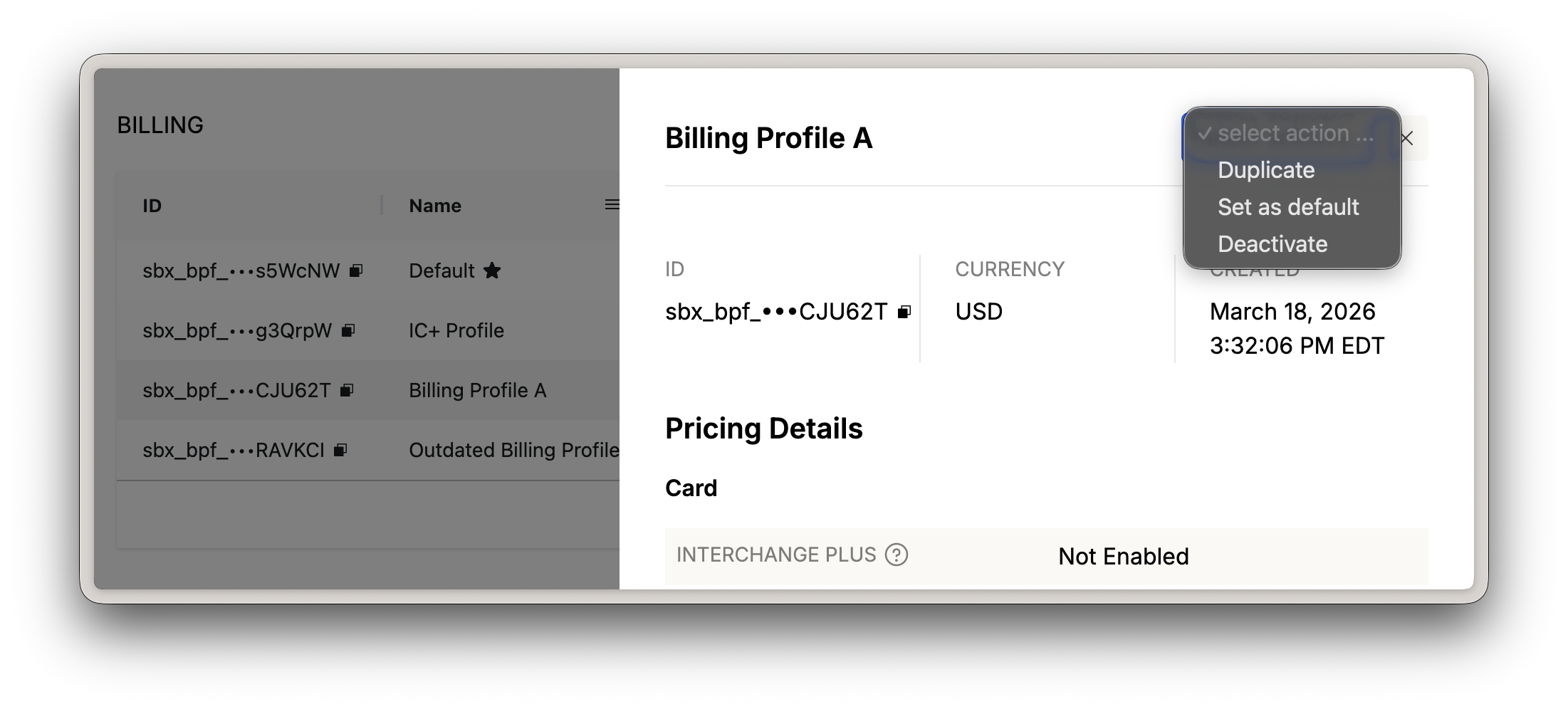
Before deactivating a billing profile, update any active merchants assigned to that billing profile to another billing profile.
If the billing profile is currently your default billing profile, update the default billing profile in the Rainforest Portal first.
Limitations
Billing profiles can only be deactivated if:
- It is not assigned to any active merchants
- It is not assigned as the platform's default billing profile
See the Merchant Billing Profiles guide and API reference for more information.