
Collect tips via device
Collect a tip when processing payments with a device
When processing payments with devices, Mobile Pay, or the Tap to Phone SDK, Rainforest supports collecting a tip on the device.
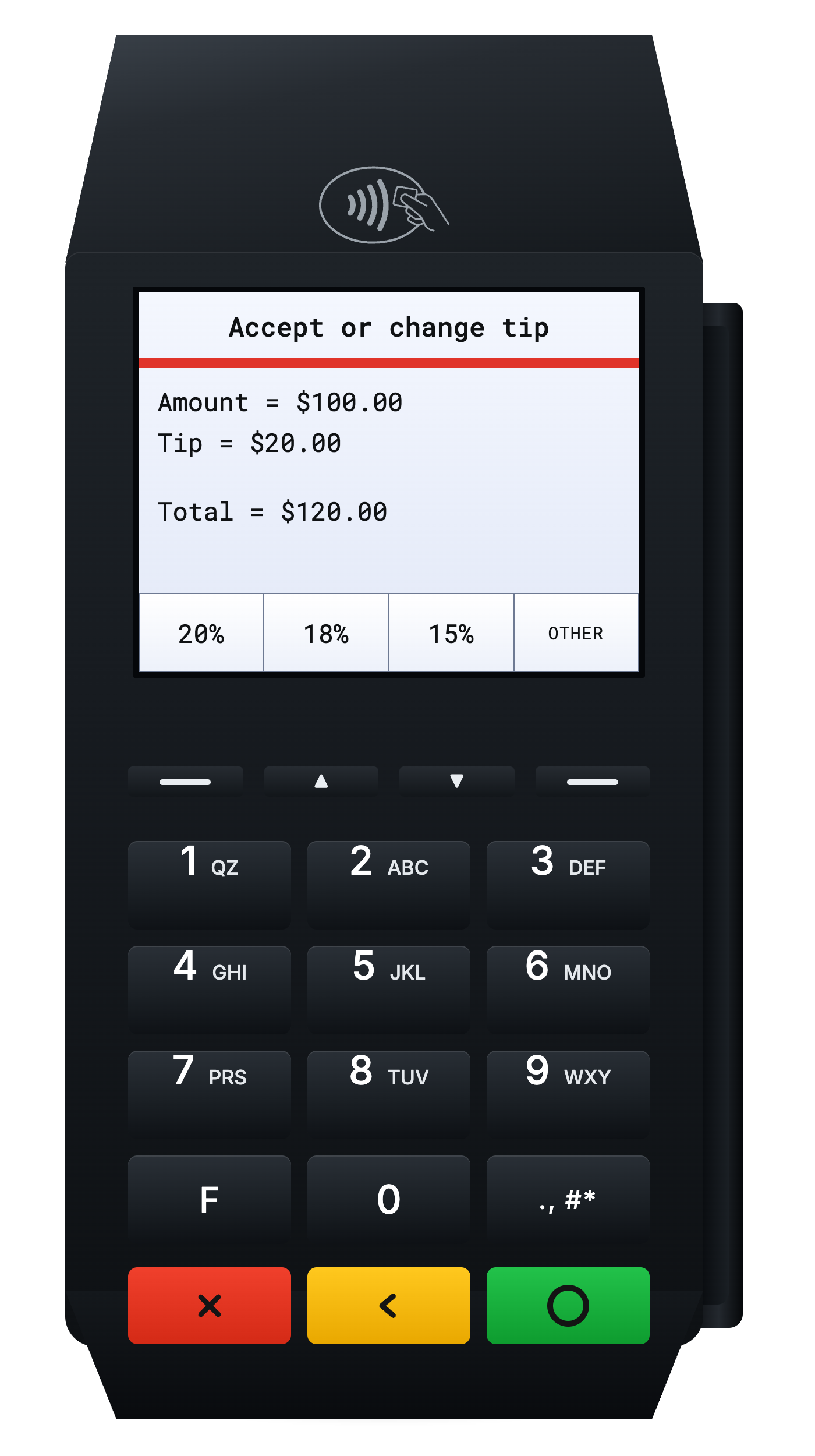
Request a tip with suggested percentages on the terminal device
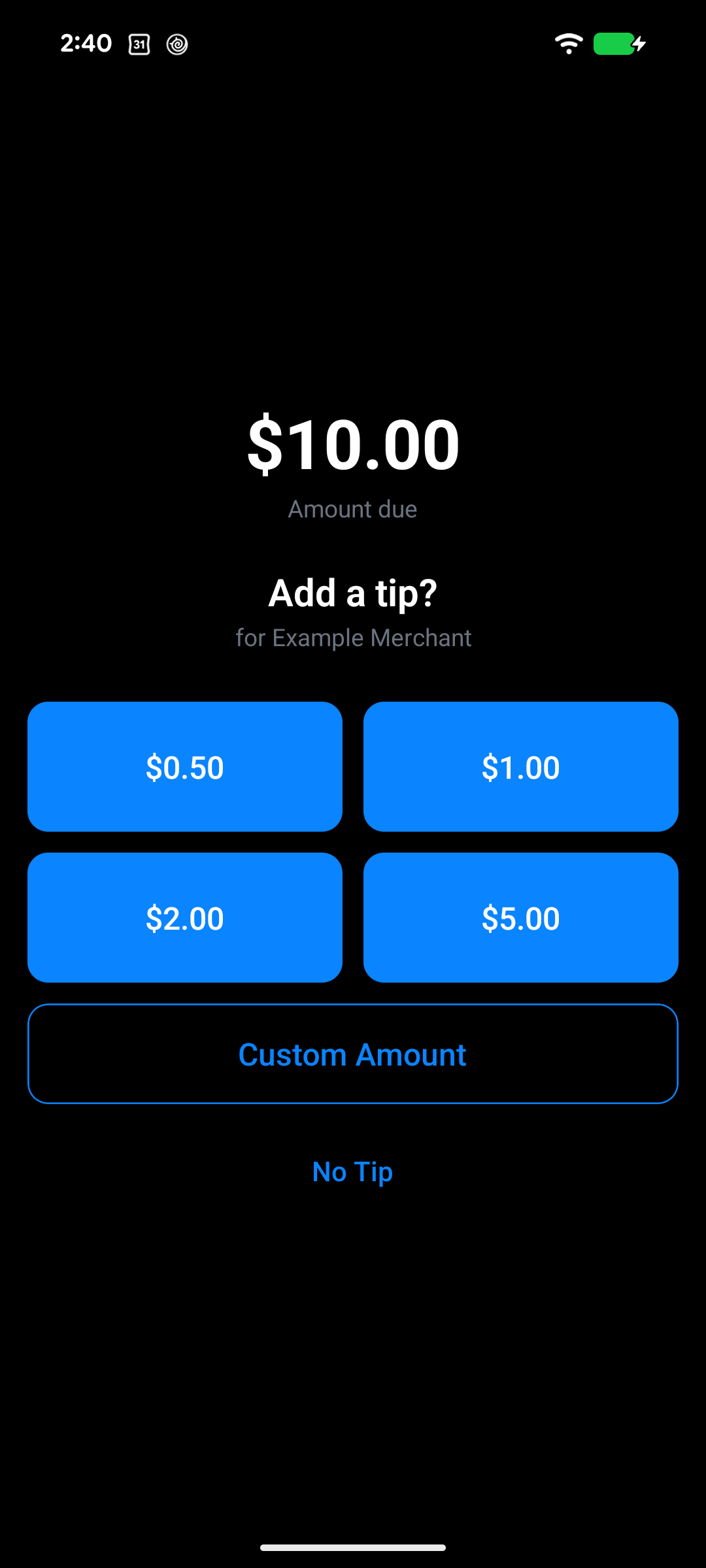
Request a tip with suggested percentages on the Android Mobile Pay app
Collect a tip
To prompt a device to collect a tip, create the payin config with the device_tip_config to configure the presets on the device to display suggested percentages or amounts.
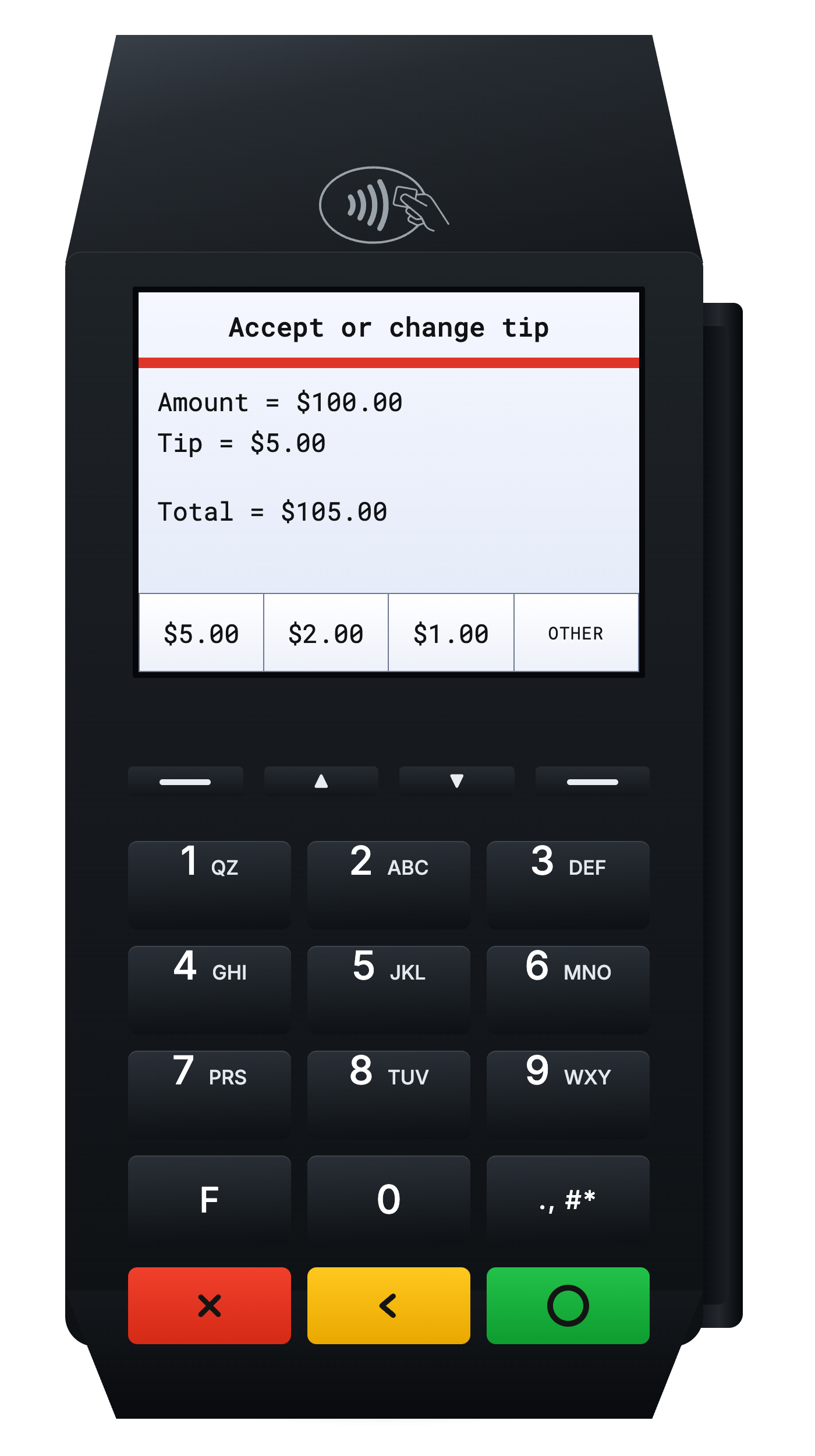
Request a tip with suggested amounts
Percentages or amounts
The device displays either preset percentages or amounts. The option of "other" will always be displayed to allow the end user to input a custom tip amount directly on the device.
tip_percentages- define up to 4 percentages to display on the device, in percent mille.tip_amounts- define up to 4 amounts to display on the device, in minor units.
{
    "amount": 10000, // $100.00
    "currency_code": "USD",
+   "device_tip_config": {
+     "tip_amounts": [500, 200, 100, 50] // $5.00, $2.00, $1.00, $0.50
+   }
}
The configuration can accept up to 4 presets, but the number of presets to display on the device is dependent on the specific device. Some devices only support displaying up to 3 presets, such as the Ingenico Lane 3000. Presets displayed will be in the order they are provided and any beyond the number supported on the device will not be displayed.
For example, if the tip_percentages is set to [20000, 18000, 15000, 10000], but the device only supports 3 presets then the device will only display 20%, 18%, and 15%.
Present the payin on the device and prior to processing the payin, the end user will be prompted to apply a tip.
Tap to Phone SDK
When processing payments with the iOS or Android Tap to Phone SDK, your platform collects the tip in your own app's UI and passes the tip amount into the SDK. Rainforest calculates the new total amount to process, including the tip, before displaying the Tap to Phone screen to the end user.
Payin config
You must still configure the payin config with the device_tip_config to allow a tip to be passed into the SDK. The tip config will not be displayed with the Tap to Phone SDK integration, and is only utilized to verify that you intended to pass a tip into the SDK when presenting the payin to the Tap to Phone SDK.
Present the payin
After collecting the tip amount in your app's UI, pass the tip amount, in minor units, through presentPayinOptions when calling presentPayin in the iOS SDK and the Android SDK.
If the payin config does not include the device_tip_config, the SDK rejects the tip before the payin is presented.
Collecting a tip requires iOS SDK v0.6.1+ or Android SDK v0.2.1+.
Tip calculation
The originating merchant on the payin will receive 100% of the tip.
Billing fee
The tip amount is included when calculating the billing fee from the merchant's billing profiles or dynamic payment billing fees.
For example, on a $100 payin with a tip of $5, the final payin amount is $105. With a billing rate and fee of 3% + $0.30, the billing fee is calculated from $105, resulting in a fee of $3.45.
Amount splits
If the payin also has amount splits configured utilizing rates, the tip amount will not be included when determining the amount for the amount splits.
For example, on a $100 payin with a tip amount of $5, the final payin amount is $105. With a platform amount split of 3%, the split is calculated from $100, resulting in a split of $3.00.
Limitations
Separate authorization and capture
Tipping is currently not supported for separate Authorization and capture.
Tip in reporting
Payin details component
The tip details are displayed in the Payin Details Component under the "Related info" section:
- Amount requested - the amount of the payin prior to the additional tip requested from the end user
- Tip amount - the amount of the tip applied by the end user
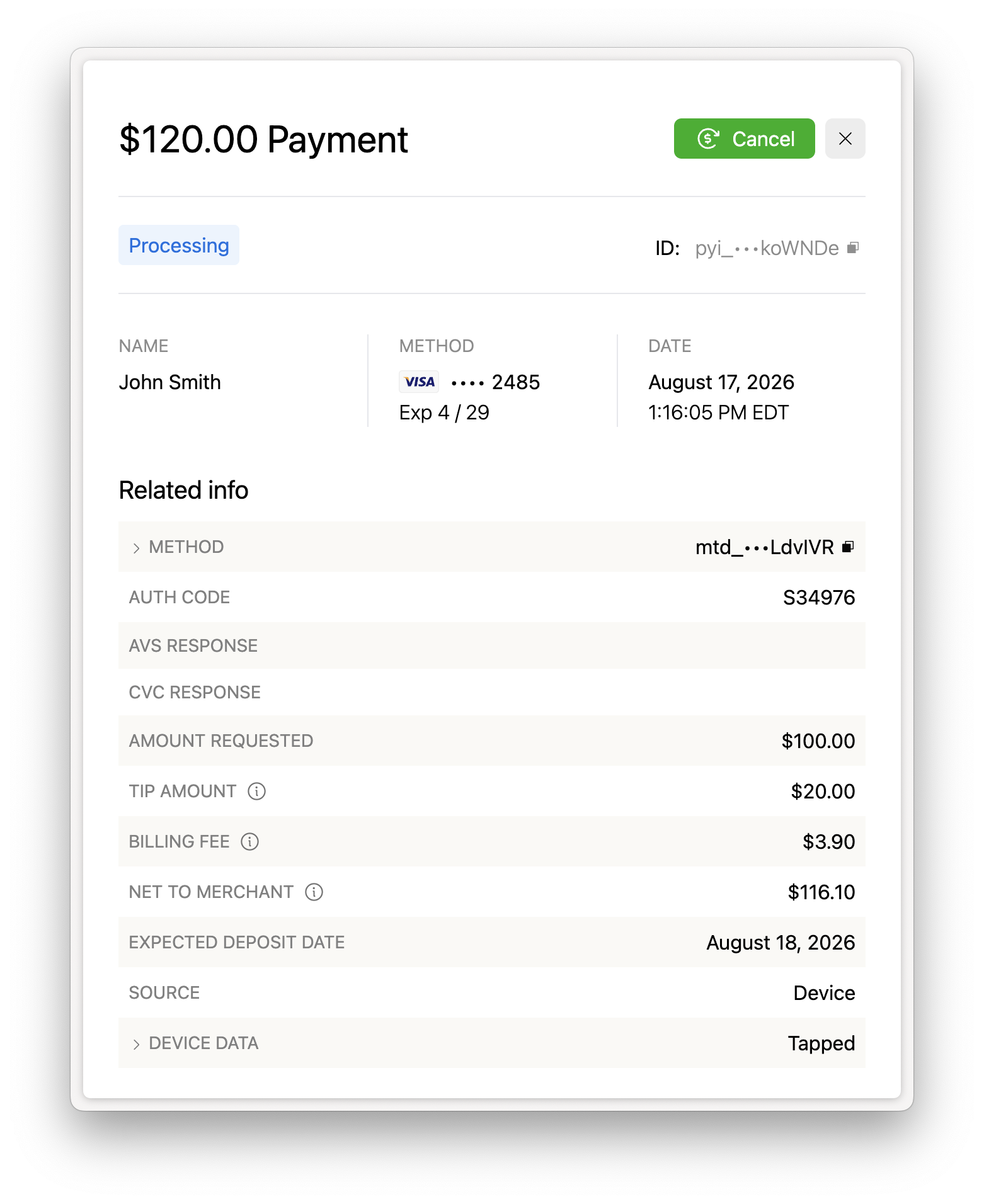
Payin Details with Amount Requested and Tip Amount in Related info
API and webhooks
The Get payin endpoint and payin webhooks return the amount details in the following fields:
amount- the total amount of the payin, inclusive of the tiptip_amount- the tip amountpayin_config.amount- the amount requested for the payin prior to the tip
{
    "payin_id": "pyi_3HrhdrhW80dX1Yke79ROlIRIcqJ",
    ...
+   "amount": 10500, // $105.00 total amount
    "currency_code": "USD",
+   "tip_amount": 500, // $5.00 tip amount
+   "payin_config": {
+     "amount": 10000, // $100.00 amount requested
+     ...
+   }
    ...
}
Refunds and chargebacks
The payin amount is inclusive of the tip and represents the total amount of the payin processed. Therefore, the tip amount is included when issuing a refund, full or partial, and receiving a chargeback.
Sandbox simulation
Rainforest will automatically simulate collecting a tip on a virtual device in sandbox when the device_tip_config is set in the payin config. The first value in the tip_percentages or tip_amounts will be used to determine the tip amount.
For example, if the tip_percentages is set to [20000, 18000, 15000, 10000], then a 20% tip will automatically be calculated and applied when processing the payment.
Updated 18 days ago