
Report components
Configure your Rainforest embedded reports with functionality such as configuring timezones and exporting reports
All Rainforest embedded report components support the following functionality:
- Timezone configurability to display date times in the merchant's preferred timezone
- Exports to download the report data
Timezone configurability
Reporting Components support three ways to control the timezone used to display, filter, and export across all reporting components. All three controls work in tandem, with the following precedence order from highest to lowest:
Timezone selector (highest priority) > timezone component prop > browser locale (default)
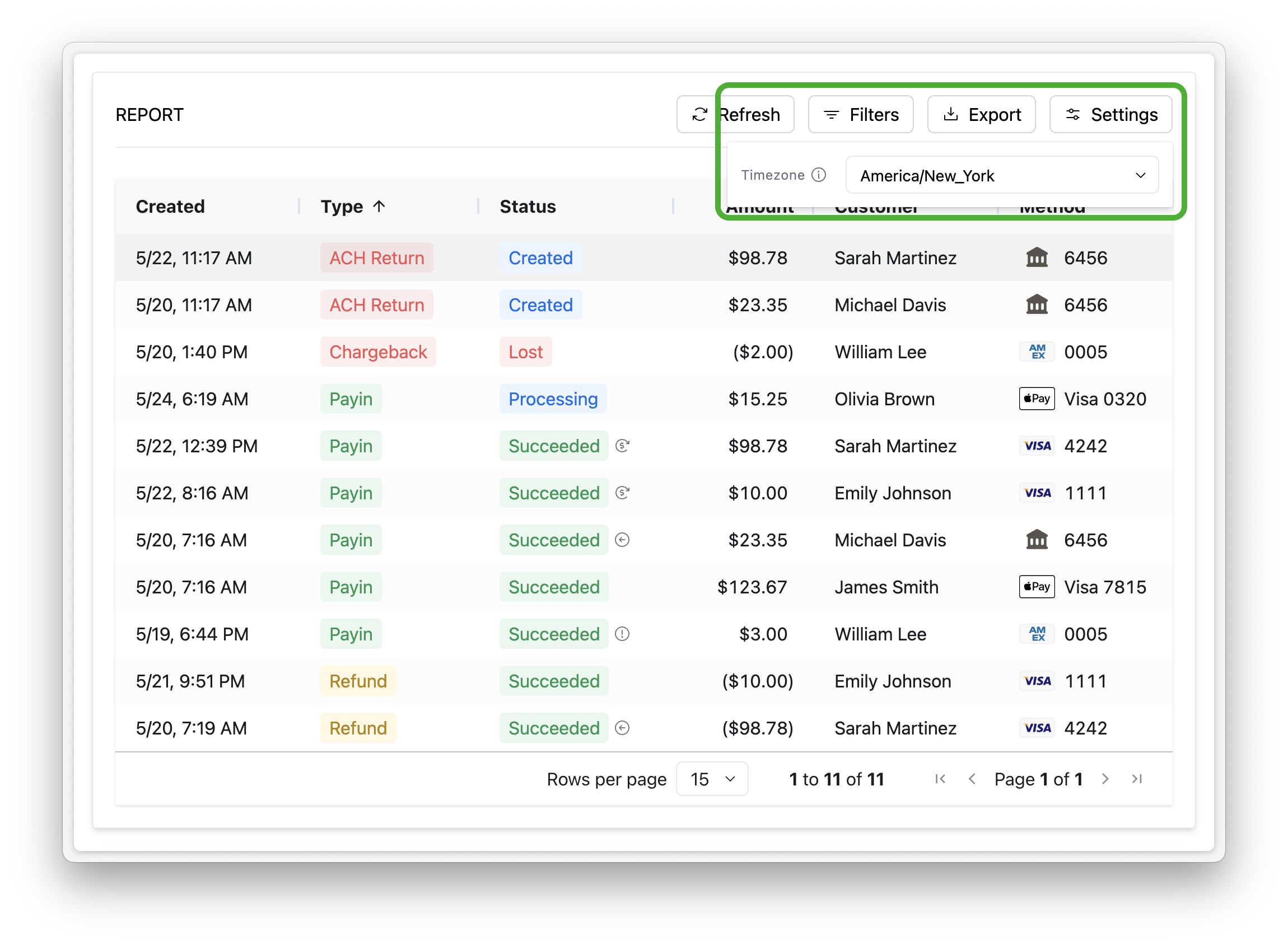
Timezone selector
Reporting components support a timezone selector that allows users to select a timezone directly within the component. The selected timezone governs how dates and times are displayed in the report table, how the report data is filtered, and how data is exported. A selection made in the selector overrides both the browser locale default and the timezone prop set on the embedded component
Display the new settings button in your embedded report components by setting the prop show-timezone-selector.
<rainforest-payment-report
+	show-timezone-selector
	...
></rainforest-payment>
Timezone component prop
Platforms can set a timezone prop directly on any reporting component to explicitly declare the timezone used for display, filtering, and export. This overrides the browser locale default but will itself be overridden if the user selects a different timezone from the selector at runtime.
The timezone prop accepts IANA timezone identifiers (e.g., America/New_York, America/Chicago, America/Los_Angeles, etc.)
When neither the selector nor the timezone prop is set, components default to the browser's local timezone.
<rainforest-payment-report
+ timezone='America/New_York'
  ...
></rainforest-payment-report>
Supported component
The following components now support the timezone prop:
- ACH Return Details
- Chargeback Details
- Chargeback Report
- Deposit Details
- Deposit Report
- Payin Details
- Payin Receipt
- Payment Report
- Refund Details
Timezone support in the API
For direct API queries, date-time filter values should continue to be passed as UTC RFC 3339 regardless of whether the timezone param is set.
The declared timezone param governs how response date-time values are returned. When timezone is not set, returned data will be presented in UTC with a Z zero offset, preserving existing behavior.
Exports
Exporting report data is an asynchronous process within the embeddable report components. Export functionality includes:
- Exporting large time ranges including a year’s worth of data
- Viewing the status of your exports and when they’re ready to be downloaded
- Viewing your export history
How to export
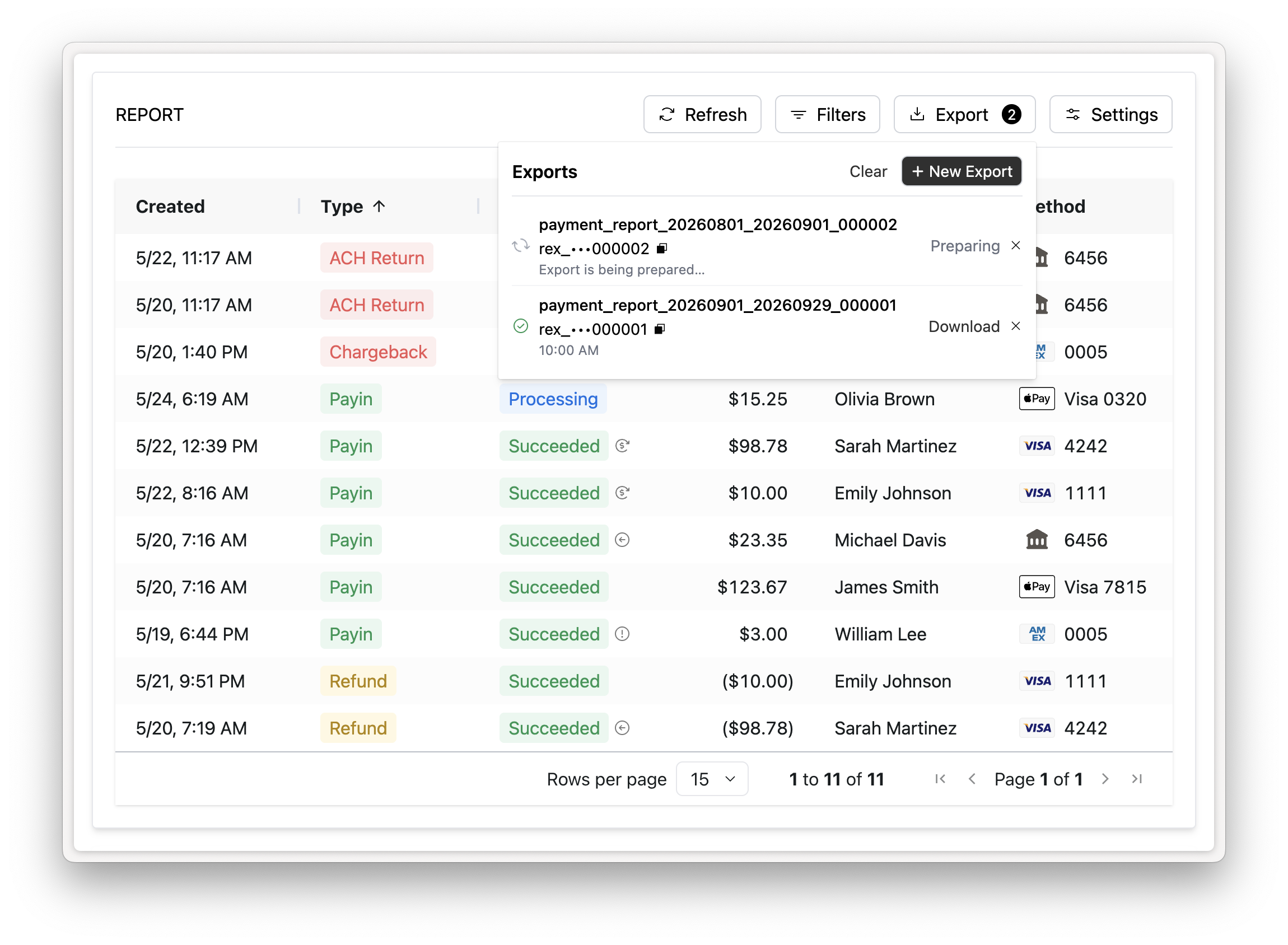
Click the ‘Export’ button in the Report controls to open the export management panel. From the export management panel you can review the status and details of any existing export or create a new export.
Once a report export is requested, the user can navigate away and continue working while the export is being processed. The user be notified once your export is ready to be downloaded.
The status of the export will be one of the following:
- Preparing: the export is preparing and not ready to be downloaded
- Ready for download: the export is complete and ready to be downloaded
- Failed: the export could not be completed
Export history
Each embedded Report Component persists the user’s export history. Past exports are available in the user’s browser’s local storage. Export history will be cleared if the user clears their cache, switches computers or browsers.
Export details
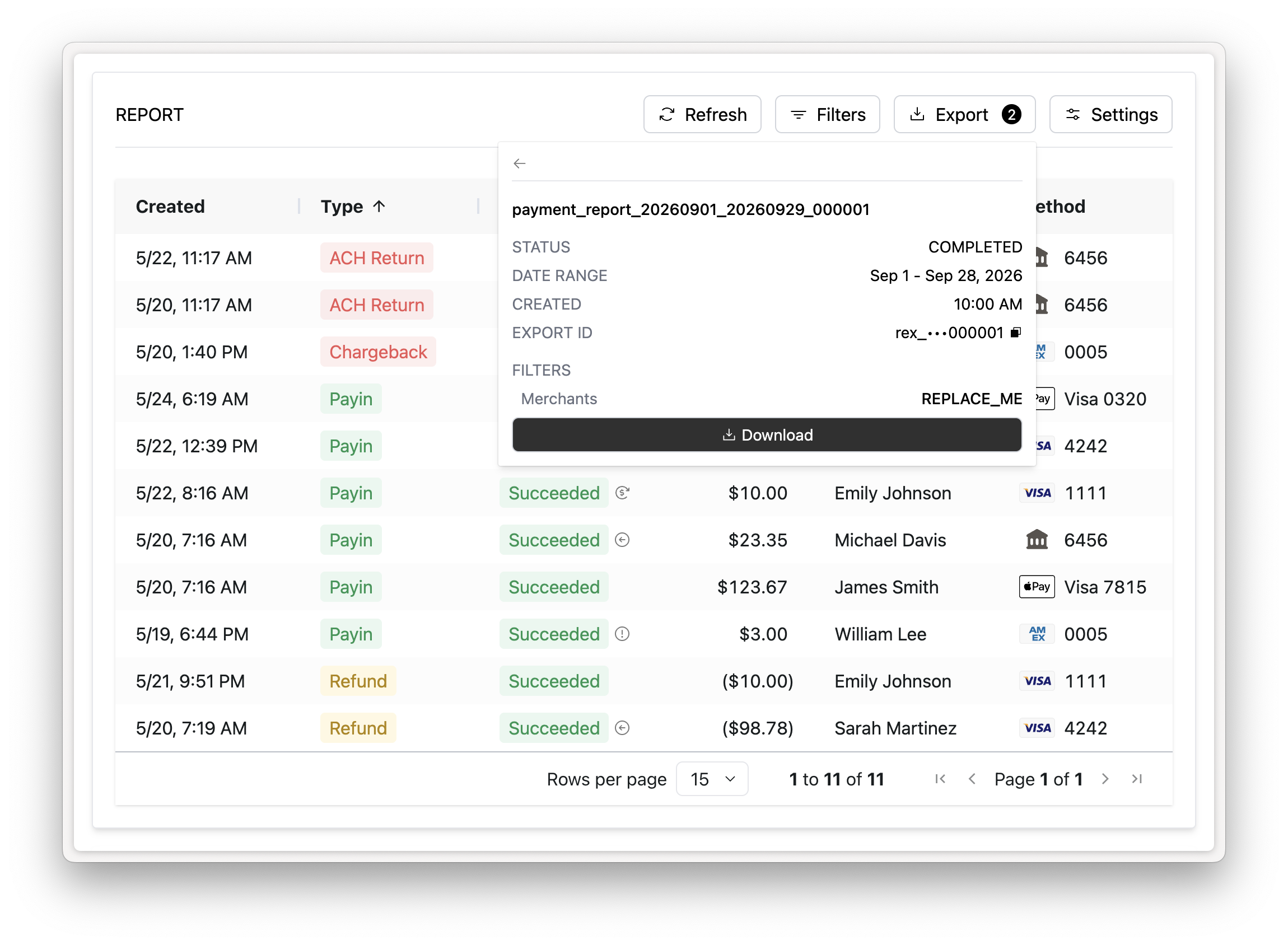
Clicking an export in the export management panel will show the details associated with the export including the status, date range of the export, and applied filters.
Preview feature
This new export functionality is only available when utilizing the new enhanced report controls.
Rainforest will automatically update all embedded reports on November 2nd, 2026 to utilize the new report controls and export functionality.
You can also update your embedded reports to use the new export functionality prior to November 2nd by enabling this feature with the preview-features prop and passing REPORT_CONTROLS,REPORT_EXPORTS :
<rainforest-payment-report
+ preview-features="REPORT_CONTROLS,REPORT_EXPORTS"
  ...
></rainforest-payment-report>
Updated 20 days ago